














01Invoice
Send from the event
Create an invoice against an event or a lead and email it with a secure link to pay.
Invoices go out from the event, clients pay online by card, and every payment lands where you can see it. No chasing, no reconciling by hand.
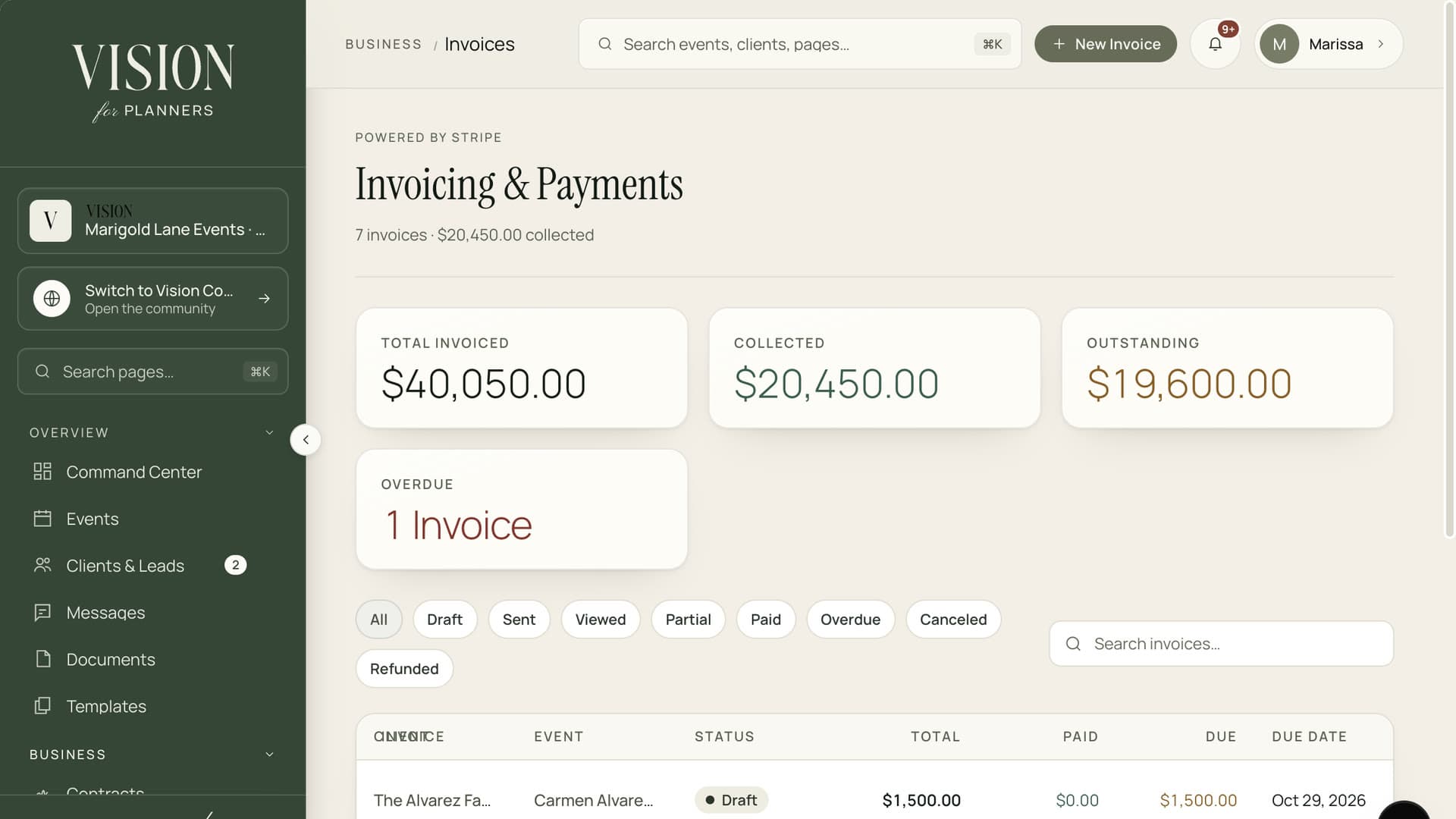
Send an invoice, take a card payment and see what is still owed.
Money you are owed should not live in your memory.

Who has paid the deposit, who owes the balance, which invoice is two weeks late. That should be one glance, not a search.
Create an invoice against an event or a lead and email it with a secure link to pay.
Clients pay online through Stripe. Card details never touch your system, and the payment records itself.
Ask a lead for a retainer in one step. They pay from the link with no account to create.
See outstanding totals and overdue invoices on your dashboard, across every event at once.
Invoices and payments sit beside planned and actual spend, so the numbers agree.

A clear invoice, one button and a receipt. Clients can pay from the email or from their portal, on whatever device they have to hand.
Add the lines and due date to an event or a lead.
Email it with a secure link, or let it appear in the client's portal.
They pay by card through Stripe and the invoice marks itself paid.
Dashboard totals, the event budget and the client record all update.
By card through Stripe Checkout, from a link in the invoice email or from their client portal.
No. Card numbers go straight to Stripe, and Vision only keeps the payment reference.
Yes. A cheque or bank transfer can be recorded by hand and is marked as recorded manually.
Yes. Request a retainer from a lead and they pay from the emailed link.

The Founding Planner Beta is open. Early access, direct input on what gets built, and pricing locked in before public launch.
Empowering the people behind extraordinary events